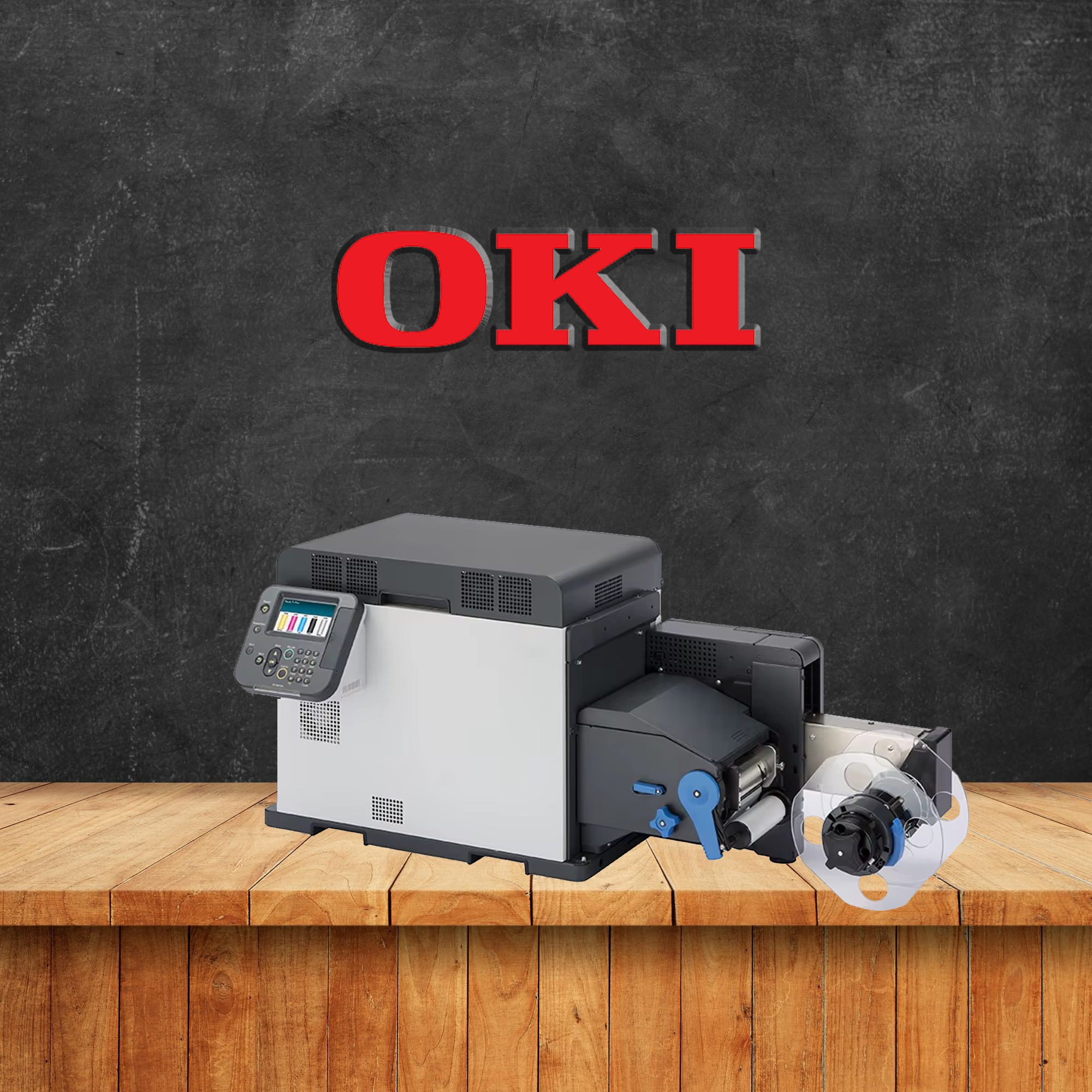
OKI Five-Colour Narrow-Format Label Printing

OKI Pro1050 CMYK + White Colour Label Printer

Produce vibrant five-colour labels in-house with CMYK and spot colour white toner. Print on clear, coloured, dark and metallic label materials at speeds of up to 152.4mm per second and resolutions up to 1200 × 1200 dpi.

CMYK + White Toner Spot Colour White Up to 130mm Wide
CMYK + White Five-colour dry toner printing
152.4mm/sec Maximum speed — approximately 6 ips
130mm Maximum stated print width
Five-Colour On-Demand Label Production
White Toner Ready
OKI Pro1050 CMYK and white toner label printer
01
Fifth Colour Capability CMYK + Spot Colour White

Add opaque white beneath or alongside colour artwork for clear, dark and metallic substrates.

02
High-Speed Production Up to 152.4mm per Second

Produce single labels, short runs and high-volume batches at approximately 6 inches per second.

03
Versatile Media Handling Clear, Coloured and Metallic Media

Produce labels on white, transparent, opaque, coloured, gold and silver-effect materials.

04
Durable Label Output Water, Chemical and UV Resistance

Produce specialist labels designed to withstand moisture, underwater exposure and UV fading.

Professional Five-Colour Labels Printed In-House

Combine CMYK colour with opaque white toner across clear, coloured, dark and metallic label materials.

01

Add a new colour dimension with spot white toner

The OKI Pro1050 offers professional five-colour narrow-format label printing using CMYK plus an additional white toner channel.

White toner can create opaque foundations beneath colour artwork or be used as a visible design colour on clear, coloured, dark and metallic-effect media.

With no traditional plate setup and production from a single label, businesses can create personalised, premium and short-run labels in-house.

OKI Pro1050 CMYK and white toner label printer
CMYK + White Five-colour toner system
152.4mm/sec Approximately 6 ips
130mm Maximum print width

OKI Pro1050 Features

White toner, fast output, durable print and flexible media support for premium label production.

02
01

Save Time and Money

Print only the labels required and reduce dependence on large pre-printed inventories.

152.4 mm/sec
02

High-Speed Production

Produce labels at speeds up to 152.4mm per second, approximately 6 inches per second.

W
03

Spot Colour White

Use white as an underprint or visible design colour on clear, dark, coloured and metallic substrates.

04

Water and Chemical Resistance

Produce specialist labels designed to withstand moisture, chemical exposure and UV fading.

05

Versatile Media Handling

Print on textured papers, synthetics, transparent, coloured and metallic-effect label media.

1200 dpi
06

High Definition Colour

Digital LED and dry toner technology produce vibrant colour, detailed graphics and sharp text.

White Toner Unlocks New Label Design Possibilities

Create opaque colour on clear, dark, coloured, gold and silver-effect label materials.

03
CMYK + White Layer Workflow Five Colour
Dark / Clear / Metallic Media
WHITE Opaque foundation layer
CMYK colour artwork
Bright Colour on Dark Media

Build opaque colour on unconventional substrates

Standard CMYK colour can appear transparent or muted when printed directly onto clear, coloured or dark materials.

The Pro1050 can place an opaque white toner layer below colour artwork, helping the CMYK image remain bright, accurate and visible.

White toner can also be printed as a visible spot colour to create text, graphics, highlights and decorative effects.

01 White underprint beneath CMYK
02 Visible spot white graphics
03 Clear and transparent labels
04 Gold and silver-effect media
05 Dark and coloured substrates

Create New Revenue with Premium Short-Run Labels

Offer personalised five-colour labels without traditional plate or setup requirements.

04
On-Demand Production Workflow Minimum Run: 1 Label
01
Receive Order
02
Add White Layer
03
Print On Demand
1 Label
Thousands

Offer differentiated labels for premium products

Manufacturers and label providers can offer short-run printing on substrates that are difficult to decorate with standard CMYK-only technology.

Personalised white and colour designs are suitable for products, events, campaigns, limited editions and premium packaging.

Printing only the required quantity helps reduce obsolete stock, setup time and unnecessary waste.

01 Premium product labels
02 Limited-edition packaging
03 Clear promotional labels
04 Metallic-effect labels

Print on Clear, Coloured and Metallic Label Media

Match the label substrate to the product, brand and required visual effect.

05
01

Clear Label Media

Use white underprinting to create opaque, readable colour on transparent labels.

02

Dark and Coloured Media

Add white foundations beneath colour artwork for improved contrast and vibrancy.

03

Gold-Effect Media

Create premium labels combining metallic gold effects, opaque white and full colour.

04

Silver-Effect Media

Combine reflective silver substrates with white and CMYK colour for striking premium designs.

Application-Specific Media Selection

Select the correct substrate and white-toner workflow

Confirm label material, adhesive, colour sequence, white coverage and durability before production.

Discuss Label Media

Waterproof Labels Designed to Survive Underwater

Produce multiple-colour labels with resistance to water, UV fading and demanding environments.

06
Label Intact

Specialist output for demanding label applications

The Pro1050 can produce labels designed to resist water, chemical exposure and UV fading when used with suitable media.

Using synthetic Teslin material, multiple-colour narrow-format labels have been tested to survive prolonged underwater exposure.

The supplied product information states that relevant EU applications may require labels to remain intact underwater for up to three months.

Water Resistant UV Resistant Chemical Resistant Synthetic Media

OKI Pro1050 Specifications

Core toner, speed, resolution, print-width and media information.

07
Toner System CMYK + White
Maximum Speed 152.4mm/sec
Maximum Print Width 130mm
Image Resolution 1200 × 1200 dpi
Specification OKI Pro1050 Details
Printer Type Professional five-colour narrow-format label printer.
Print Technology OKI digital LED dry toner technology.
Toner Configuration CMYK plus spot colour white toner.
White Toner Function White can be used as an opaque underprint or as a visible spot colour.
Maximum Print Speed Up to 152.4mm per second, approximately 6 inches per second.
Maximum Print Width Up to 130mm wide.
Maximum Resolution Up to 1200 × 1200 dpi.
Minimum Production Run Production can begin from a single label.
Supported Media Textured papers, synthetic media, clear media, white substrates, coloured materials and metallic gold or silver-effect media.
Transparent Labels White toner provides an opaque foundation beneath CMYK artwork on clear media.
Coloured and Dark Media White underprinting improves colour visibility and contrast on dark or coloured substrates.
Metallic Media Suitable for premium labels on gold and silver-effect materials.
Waterproof Applications Supports specialist waterproof output when used with suitable synthetic media such as Teslin.
UV and Chemical Resistance Suitable media and toner combinations can support labels requiring resistance to UV fading and chemical exposure.
Suitable Users Brand owners, manufacturers, print houses, label providers and businesses producing premium labels in-house.
Primary Applications Clear labels, premium product labels, metallic labels, dark-substrate labels, promotional labels, waterproof labels and personalised short runs.
Product Documentation

Download the OKI Pro1040 and Pro1050 Brochure

Review additional product, media and technical information in the supplied combined brochure.

Download PDF
Discuss Your White Toner Label Requirements

Discover how the OKI Pro1050 can expand your label range

Speak to RUXO Labels about clear, coloured, metallic and dark label materials, white underprinting, artwork and short-run production.

01 Review your label design
02 Confirm media and white coverage
03 Plan the print workflow
Contact Us